Portable EV charger ready
Use the charger that connects your EV to the outlet type provided at the site.
 Charge now
Charge now
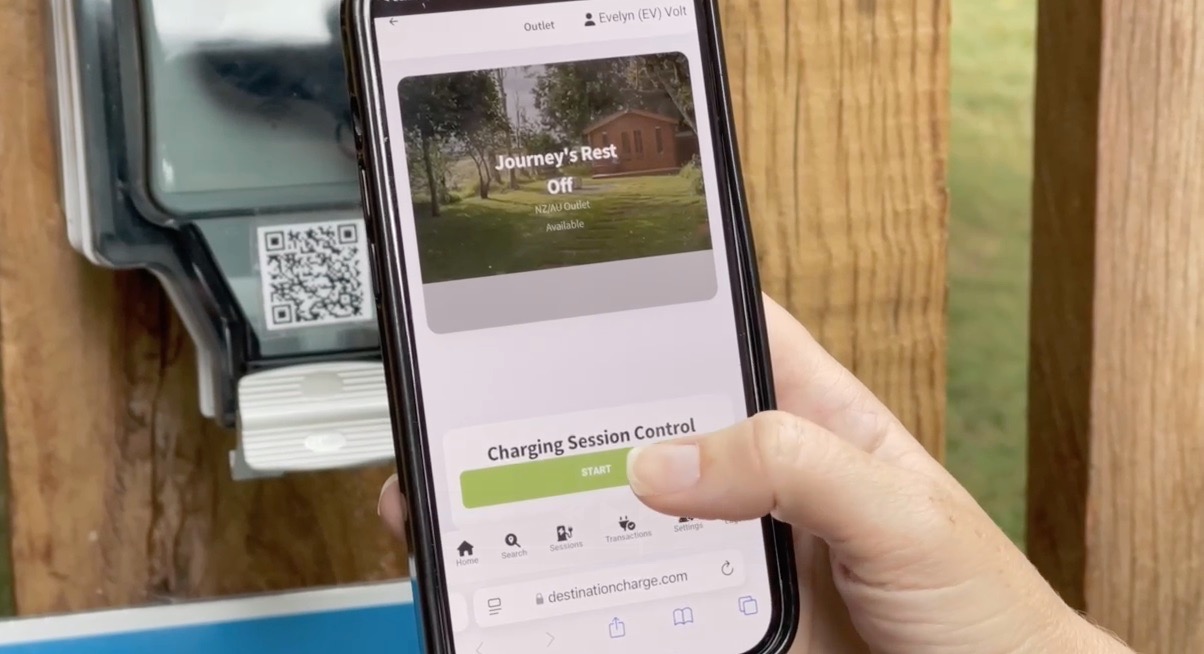
Standing at a Destination Charge outlet? Make sure you have your own suitable portable EV charger, then scan the QR code on the outlet. If the QR code will not open, use activation search.
Destination Charge
Destination Charge outlets use the portable charger you bring with the car unless the site specifically says otherwise.
Use the charger that connects your EV to the outlet type provided at the site.
A public Type 2 cable usually needs a public AC charging post. Destination Charge outlets use your portable charger.
Use suitable EV charging equipment directly as instructed on site.
A simple sequence
Check that the outlet label matches the bay or area you intend to use.
Open your phone camera, scan the QR code, and tap the activation link.
Check the site name, outlet label, price, and connection fee before starting.
Activate the session, connect suitable equipment, and keep the session page available so you can monitor or stop charging.
Destination Charge
Use activation search and enter the site or outlet details shown on the sign.
Check the outlet status and confirm you selected the correct outlet before contacting support.
Choose another outlet if available, or ask the site or support team what options exist.
Your next step
Use activation search first. If the outlet still will not start, contact support with the site name, outlet label, and what happened on your phone.